Feature Enhancement - Request Matches

Key Updates to Request Matches feature
We've improved the Request Matches feature in the Officials’ portal to provide a more precise and transparent assignment experience for both officials and assignors.
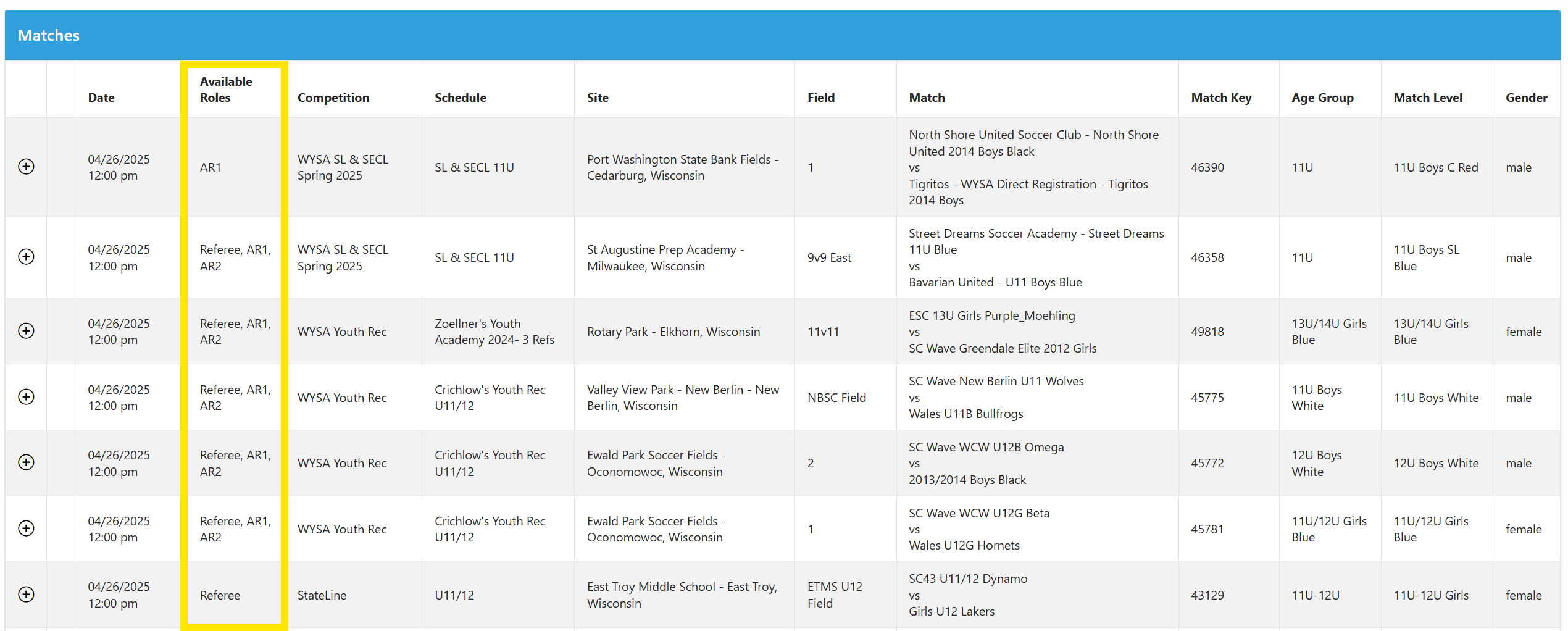
Introducing the "Available Roles" Column
A new Available Roles column has been added within the Officials’ portal Request Matches area to provide clear visibility into open positions
The column displays specific roles that remain unfilled for each match, allowing Officials to easily identify which specific roles need coverage
Games are now filtered to show only those with actual available positions to fill
Games completely filled across all required roles (in "tentative," "assigned," or "accepted" status) will no longer appear in the list visible to officials
Benefits for Assignors and Officials
Eliminates confusion about game availability
Reduces unnecessary communication and email inquiries
Provides a more streamlined request and assignment process
Offers immediate clarity on open positions
Benefits for Assignors
Reduced administrative overhead
Minimized unnecessary communication about fully covered games
More streamlined request and assignment process
Quick Reference Tip
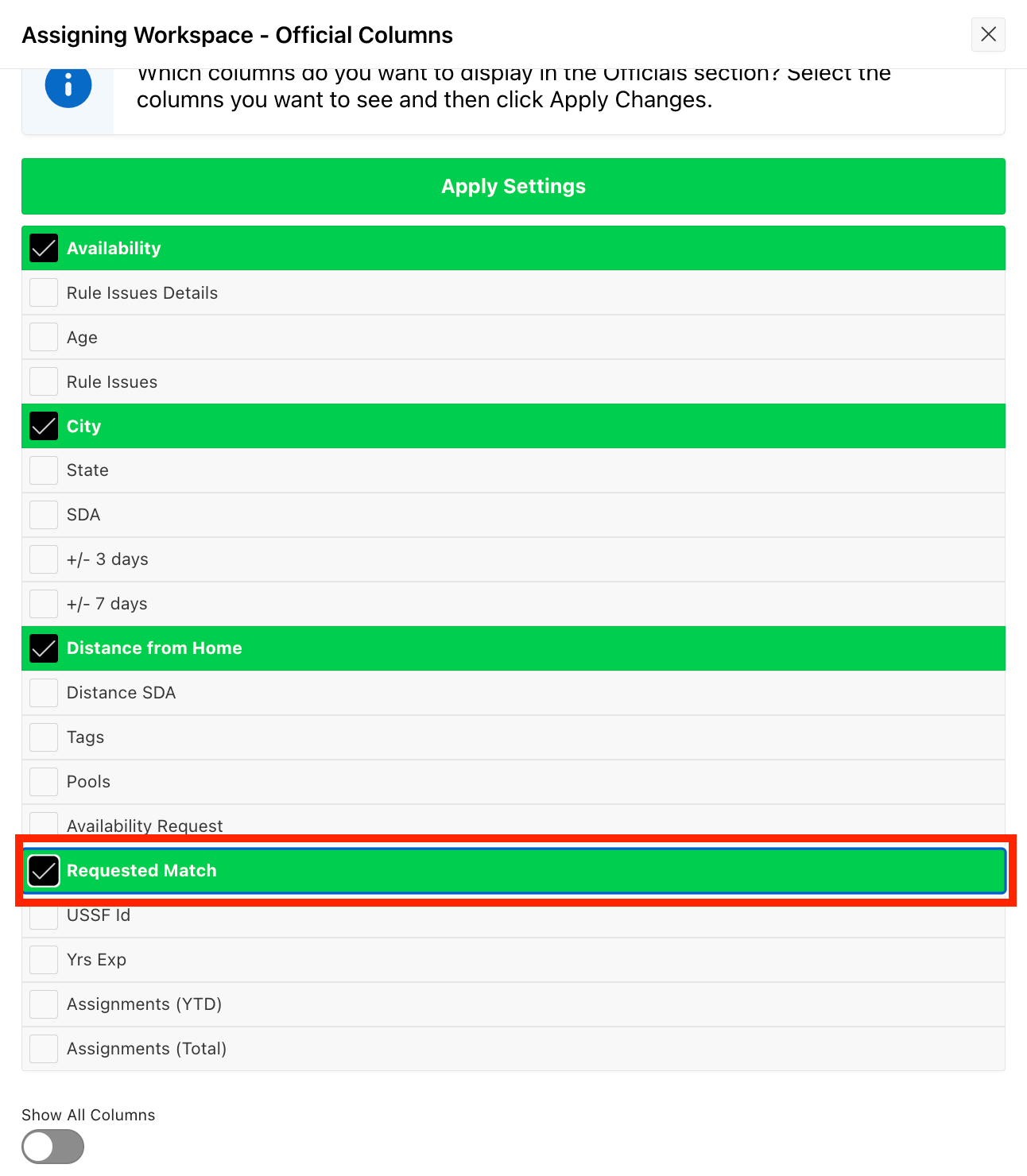
You can track match requests efficiently by selecting the Requested Match column on the Officials side of the page in the assigning workspace. This column provides immediate visibility into pending position requests.
Ongoing Monitoring
We are carefully monitoring this change to ensure it meets the needs of both officials and assignors. Your continued feedback is valuable in refining our system.
This enhancement is a direct result of actionable user feedback. We appreciate the community's commitment to improving the Ref Insight platform — thank you!
Happy assigning!
The Ref Insight team