🚀 New Feature: Ratings for Referees and Matches
Overview
Ratings are here! You can now define skill or difficulty levels for your officials and matches, and put those ratings to work directly in the assigning process. Full-access administrators build a custom rating scale, apply ratings to officials. Competition Admins can set ratings on schedules within competitions; assignors then see those ratings right in the Assigning Tool to help assign the right official to the right game.
Feature Details
⭐ Enable Ratings & Create a Rating Scale (Full-Access Administrators)
What's New:
Enable ratings for specific match roles
Build a fully customizable rating scale tailored to your program
Establish one consistent standard that carries through officials, schedules, and assigning
👤 Select Ratings for Officials (Full-Access Administrators)
What's New:
Apply ratings to individual officials using your custom scale
Reflect each official's skill or experience level across your account
📋 Select Ratings for Schedules within Competitions (Full-Access Administrators & Competition Admins)
What's New:
Set ratings on schedules — available to Full-Access Administrators and Competition Admins, including assignors with that permission level
Manage ratings at the role level, apply overrides for specific matches, and adjust ratings as needed for self-assign
🎯 Use Ratings in the Assigning Tool (All Assignors)
What's New:
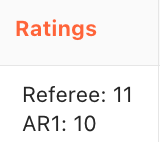
View referee and match ratings directly within the Assigning Tool
Quickly identify well-matched officials for each assignment and streamline your workflow
Tutorial Available
Access the complete four-part series in the Knowledge Base:
Referee Ratings Series Part 1 — Enable Ratings for Match Roles and Create a Ratings Scale
Referee Ratings Series Part 2 — Select Ratings for Officials
Referee Ratings Series Part 3 — Select Ratings for Schedules, Roles, Overrides, and Self-Assign
Referee Ratings Series Part 4 — Use Ratings in the Assigning Tool
A Note of Thanks
This feature was shaped by the users who requested it and shared thoughtful input along the way. Thank you for helping us build it — your feedback made it better.
Support
For questions about Ratings for Referees and Matches:
Review the tutorials in the Knowledge Base
Contact support at support@refinsight.com
Happy rating!
The Ref Insight Team