🚀 New Feature: Competition Settings Dashboard
Overview
A new Competition Settings Dashboard is now available, providing administrators and assignors with comprehensive visibility into all configuration settings for a Competition in one centralized location. This convenient dashboard eliminates the need to navigate through multiple areas to understand how a Competition is configured, presenting all settings in an organized, expandable view.
New Feature Details
Competition Settings Dashboard
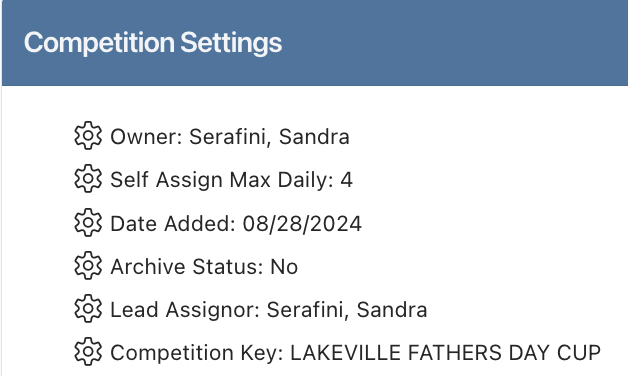
Access a complete overview of all Competition configuration settings through a single, comprehensive dashboard that displays everything from competition ownership to payment settings in one convenient location.
What's Available:
Centralized view of all Competition-related settings with expandable nested details
Competition Settings: ownership, lead assignor, oversight permissions, and portal users
Schedule Settings: all schedules with role configurations and global assignment rules
Assignor Settings: configuration and permission profiles for each assignor
Self-Assign Summary: daily maximums and role-specific settings across schedules
Payment Summary: default fees, payment methods, and payors by role
Payor Summary: portal users and their permissions
Account Level Settings: match roles and global assigning rules
Key Benefits:
View all Competition settings from a single dashboard without navigating multiple sections
Quickly verify configurations and identify inconsistencies
Streamline onboarding with clear settings overview
Troubleshoot configuration questions faster with complete visibility
How It Works
The dashboard organizes all Competition-related settings into expandable sections covering competition details, schedules, assignors, self-assignment, payments, payors, and account-level configurations. Each section can be expanded to reveal nested settings, making it easy to drill down into specific details without overwhelming the initial view.
Accessing the Dashboard
Navigate to Competitions
Click the magnifying glass next to the Competition you want to review
Click the Binoculars icon to access the Competition Settings Dashboard
Tutorial Available
Complete guidance on using the Competition Settings Dashboard is now available in the Knowledge Base.
Access the Tutorial: Competition Settings Dashboard - View all Settings related to a Competition
Getting Started
Access a Competition you're familiar with to explore the dashboard
Review the tutorial to understand all available information sections
Use the expandable sections to explore nested settings
Use the dashboard as a reference when troubleshooting configuration questions
Support
For questions about the Competition Settings Dashboard feature:
Review the comprehensive tutorial in the Knowledge Base
Contact support at support@refinsight.com
Happy managing!
The Ref Insight Team